
Every receipt, ready for tax season.
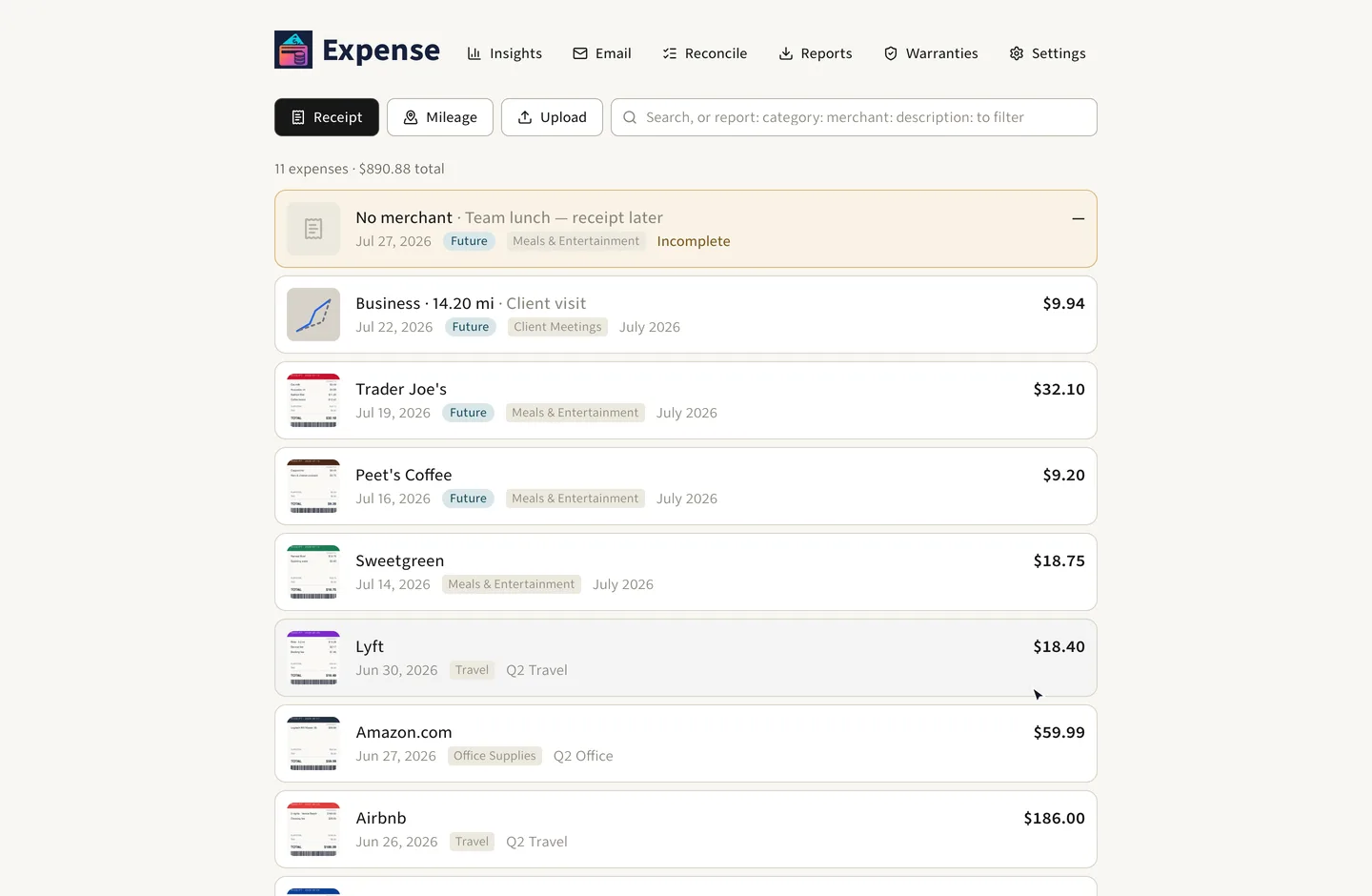
Expense makes tax filing boring. Capture a photo of your receipt, upload a PDF, or forward an email. Expense uses OCR to gather the merchant and purchase amount, uses AI to determine the correct spend category (from Schedule C), and then adds it to the proper report. When tax season comes, all is ready for you.
Have a Fastmail account? Connect it and Expense will gather receipts from your inbox, no forwarding necessary.
No credit card required. Your data stays in your account. Export and leave anytime.
What you get
Tailored for one purpose: to get your expenses done as quickly as possible. We simplified tax filing to a file download.
Stop losing receipts in your photo library
The receipts are already on your phone: photo library, screenshots, PDF downloads. Paste one in or forward the email, our OCR+AI pulls out the merchant, amount, and category and files the expense.
Connect your Fastmail account
Connect Fastmail and we'll process receipts that land in your inbox: merchant, amount and category filled in, nothing to forward. We ignore newsletters and bank alerts. Connecting Fastmail also scans the last 90 days, so your records start the day you connect.
Get your deductions ready on time
Every account starts with the categories from IRS Schedule C, so a receipt is filed on the line it belongs to and nothing has to be sorted out at tax time.
PDF reports to show your accountant
Group your expenses into reports. Download a PDF for each report, or download a ZIP with all receipts, ready to hand to your accountant.
Log drives without Excel
Map the drive and the app works out the distance and the allowed deduction, at the IRS rate for that date.
Reconcile against your monthly statement
Upload a credit card or bank statement (PDF, CSV, QuickBooks, Excel) and Expense matches the charges against what you logged. Anything you never logged stands out, and you can reconcile as many statements as you like.
Track the warranty, not just the purchase
A receipt gets you a deduction; the warranty is what you need when the thing breaks, usually years later, when the paperwork is long gone. Drop a warranty document on the Warranties page and Expense saves it for you. Expense groups warranties by their end date, so you can tell whether something is still covered without digging through a drawer.
Ask your expenses any question
Get insights from your expenses. The longer you use Expense, the more it has to work with.
Example
How much have I spent this year?
You spent $18,240.55 across 312 expenses. Q3 Travel is your biggest report at $4,180.20, and 6 expenses still have no report.
From receipt to export
Just three fast moves, no data input required.
- 1
Add a receipt
Upload the image, or forward the email. Expense holds it for you.
- 2
Confirm and save
Expense deducts merchant name, amount, and category. It takes one click to save the new expense.
- 3
Export at tax time
Export your reports as PDFs, or one ZIP with all receipts.

Your own personal AI assistant
Expense supports the Model Context Protocol (MCP). Point Claude, OpenAI, Gemini, or any other AI at your account, and let the assistant do the mundane work.
Extract a receipt from chat
Drop a receipt photo or PDF into the conversation, and it's OCR'd, categorized, and filed. No app to open.
Ask about your expenses
“How much have I spent on plane tickets this quarter?” — see the precise amount, straight from the source.
Generate reports on demand
“Insert all unreconciled June expenses into the Q2 report and save it as a PDF file.” One line of text. Done.
Log your trip in plan speak
“Log the drive from the office back home on Tuesday.” Geocoded, routed, and costed at the IRS rate for that trip.
Start collecting this year's expenses.
No credit card, no subscription, no ads.